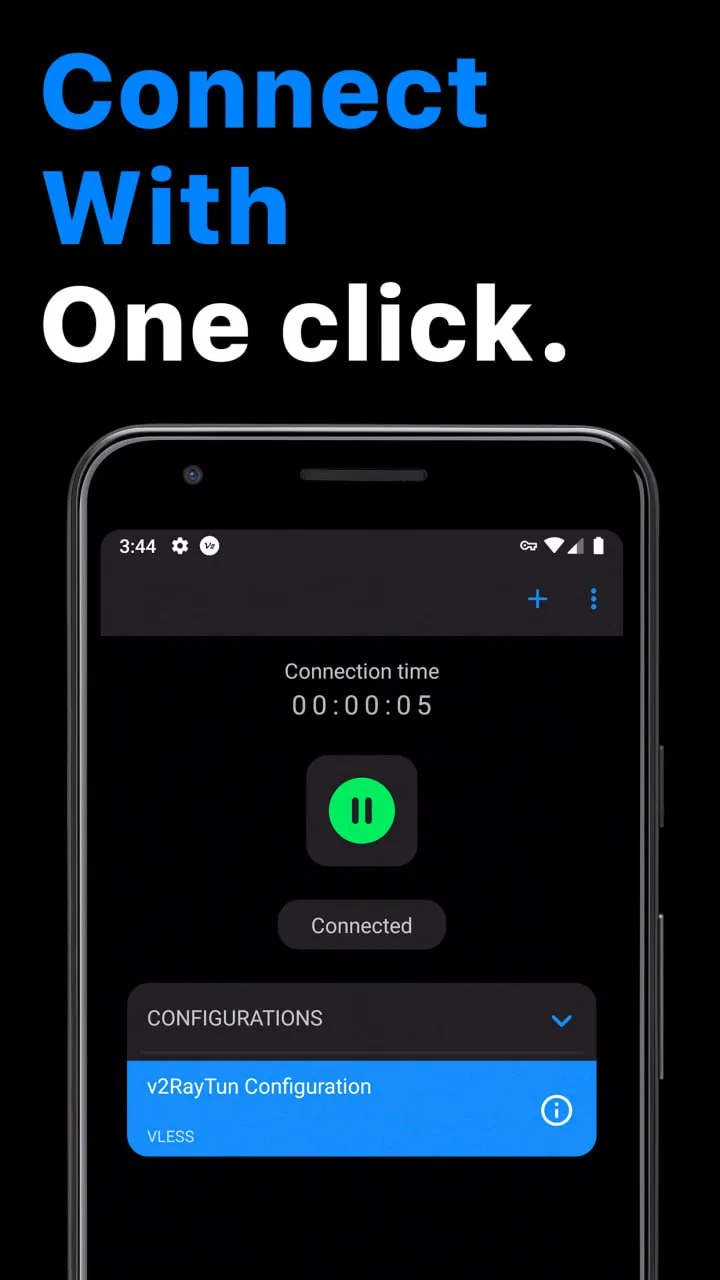
v2RayTun
- 4.1
- Rating
- 10.00M
- Installs
- Free
- Price

 Analysis by App-foxy
When a proxy client is used on a shared phone or tablet, the difficult part is rarely pressing the connect button. The real question is who needs the connection, which traffic should pass through it, and how clearly everyone using the device understands that change. I found v2RayTun most interesting in this everyday setting because it is a focused tools app rather than a general-purpose browser or a family communication platform. It can be useful, but it rewards careful setup and shared-device discipline.
My first impression was that this is an app for people who already understand the basic idea of a proxy configuration. It is not something I would hand to a child and describe as a simple privacy switch. On a household device, one person may install it while another person later opens a browser, messaging app, or streaming service without realizing that the network route has changed. That makes coordination just as important as the connection itself.
The app comes from DATABRIDGES TECHNOLOGIES LTD and is offered free of charge. It sits in the tools category, has an Everyone age rating, and its current release is version 5.23.74. Those details make it easy to try on a compatible Android device, but they do not remove the need to think about trust, configuration sources, or who is responsible for maintaining the connection.
You May Also Like

 Blood Strike: 2.5 Anniversary
Blood Strike’s Loadouts Turn Every Drop Into a Tactical Gamble
A close look at Blood Strike’s custom loadouts: how fast access to signature weapons reshapes its battle royale rhythm, rewards preparation, and narrows the gap between fights.

 Pandora - Music & Podcasts
Pandora’s Music Is Easy to Start, but Harder to Recover
Pandora’s strength is its low-effort path from a seed to a station. Its weak spot is how much confidence it asks you to place in connection, setup, and quiet recovery.

 8 Ball Pool
 Is Built on Rivalries, Rematches, and Routine
A close look at the rivalries, rematches, shared routines, and unanswered safety questions that turn a quick pool match into a persistent mobile community.

 Samsung Music
’s Quiet Strength Is Playing What You Already Own
Its reach comes less from spectacle than from dependable access to a personal library. That simplicity is both the app’s strongest retention engine and its ceiling.

 AccuWeather: Weather Radar
AccuWeather Review: A Quick, Clear Forecast for Everyday Decisions
For everyday plans, the best forecast is the one you can understand quickly. AccuWeather makes rain timing, radar, and local conditions easy to act on, with a few trade-offs.

 Hill Climb Racing
Why Hill Climb Racing Still Turns Crashes Into One More Run
A tiny car, a bumpy hill and one more upgrade: Hill Climb Racing keeps resurfacing because its simple chaos makes every near-miss feel personal.
More From Our News Desk



How v2RayTun fits into a shared household device
A realistic example would be a family tablet used by several adults for browsing, travel planning, and checking work accounts. One person might need a proxy connection for a particular network environment, while another expects the tablet to behave normally. With v2RayTun installed, the first user can prepare the connection before browsing, then explain to the next user whether it should remain active or be disconnected.
I would not treat the app as an invisible background utility on a shared device. A proxy can affect more than one application, so a user who did not start it may notice slower loading, a service asking for verification, or content behaving differently. Those effects do not automatically mean the app is malfunctioning. They may simply reflect the route being used. The practical habit is to say, “The proxy is active,” before handing over the device.
This is also where the app differs from a typical consumer VPN application. Those products often focus on a large location selector, a single prominent switch, and simplified explanations. v2RayTun is better suited to someone who has been given a specific configuration and wants a client capable of using it. That can be an advantage for technical users, but it creates a steeper responsibility for the person doing the setup.
For household use, I would keep a small written note near the device explaining which connection belongs to which person and when it should be used. I would avoid storing several unlabeled configurations and expecting other family members to guess. Clear names and a simple handover routine are more valuable here than adding complexity.
What the first setup demands from the owner
The setup experience depends heavily on the configuration being used. v2RayTun is not a service that automatically gives every user a ready-made route simply because it has been installed. The person setting it up needs a legitimate configuration source and must understand what that source represents. If you do not know where a configuration came from, I would not import it merely because someone shared it in a chat.
This is the first important boundary: the app is a client, not a substitute for judgment. A configuration can influence how traffic is routed, so the source deserves the same caution as any other software or account invitation. In my view, beginners should start with one clearly identified configuration, test it with ordinary browsing, and only then consider adding alternatives.
I also recommend setting up the app while the device is in the owner’s hands rather than during a rushed family handover. Check the connection before another person relies on it. Open a normal website, try the apps that matter for the intended task, and then disconnect it to confirm that returning to the ordinary network is straightforward. This simple test prevents confusion later.
Another useful boundary is separating configuration work from everyday use. The person who understands the proxy should be the one who imports, edits, or removes entries. Other household users can be shown how to connect or disconnect if appropriate, but they should not be expected to troubleshoot unfamiliar settings. That division keeps accidental changes to a minimum.
Because the app is free, cost is not the barrier to trying it. The real cost is attention. Someone has to understand the route, recognize when it is active, and notice when a website or service reacts differently. If nobody in the household wants that responsibility, a simpler managed service may be a better fit even if it offers less control.
Coordinating connections without creating confusion
On a shared device, I would establish three plain rules. First, say when the proxy is being enabled. Second, say why it is needed. Third, say when it should be turned off. These rules sound basic, but they prevent a common problem: one person leaves the connection active and another person later assumes that every network issue is unrelated.
It helps to connect the app to a specific task rather than leaving it permanently enabled by habit. For example, a household member might use it for a particular work session, then disconnect it before handing the tablet to someone else. This makes the app’s state easier to understand and reduces the chance that a child or guest unknowingly uses the same route.
I would also avoid treating a successful connection as proof that every app will behave identically. Browsers, messaging tools, video services, and account logins can react differently to a changed network path. If one service stops working, do not immediately add another configuration or repeatedly reconnect. First return to the ordinary connection and test whether the problem is specific to the proxy.
That troubleshooting order is one of the more useful habits I took from using a client like this: change one thing at a time. Disconnect, test the service, reconnect, and compare. If several settings are changed together, it becomes difficult to tell whether the issue came from the configuration, the destination service, or the local network.
For people who travel with a shared phone, coordination becomes even more important. A connection that makes sense on one network may not be necessary on another. I would not let the device’s owner assume that a profile prepared at home should remain active everywhere. The right choice depends on the task and the network context, so a quick review before use is worthwhile.
Age rating is not the same as technical suitability
The Everyone rating means the app is presented for a broad audience, but I would not confuse that with being equally suitable for every age group. A young user may be able to open the interface, yet still not understand what a proxy does, why a connection changes, or why an unfamiliar configuration should not be trusted.
For a child using a shared device, my preference would be to have an adult prepare the app and explain its visible state in simple terms. The child should know whether the connection is active and who to ask before changing anything. I would not rely on the age label alone to decide that unsupervised use is appropriate.
The same applies to older relatives who are comfortable with ordinary apps but do not want to manage network settings. If they only need to browse or communicate, v2RayTun may add an unnecessary decision every time they use the device. In that situation, a household member who understands the setup could manage it, or the family could choose a simpler alternative that hides the technical details.
Trust also matters between adults. A proxy client can become sensitive when several people use the same device for personal accounts, work tasks, or private conversations. I would make sure everyone knows who supplied the configuration and who is responsible for it. No one should quietly change the network behavior of a shared tablet while others assume it is operating normally.
This does not mean the app is unsuitable for families. It means the family should treat it as a technical tool rather than a universal safety feature. It does not replace age-appropriate supervision, account separation, or an honest conversation about what the connection is doing.
Where it is stronger than simpler alternatives
Compared with a basic VPN app, v2RayTun makes more sense when the user has a particular proxy arrangement and wants a client that fits that arrangement instead of choosing from a simplified list of locations. That flexibility is the main reason I would recommend it to a technically confident person. It can sit closer to the user’s actual networking needs than a one-tap consumer product.
The trade-off is that convenience is not its strongest quality for casual users. A simpler VPN is usually easier to explain to a parent, guest, or child: open the app, choose the expected option, and use the connection. With v2RayTun, the quality of the experience depends more on the configuration and the person maintaining it.
It also differs from a browser-only proxy extension. A browser tool may be easier when the goal is limited to web traffic in one browser, while a proxy client is more relevant when the user expects a broader device-level connection. That broader reach is useful, but it is also why shared-device users need clearer communication. The effect may not stop at the browser window.
I would skip v2RayTun if my only goal were an effortless privacy product for a nontechnical household. I would also skip it if I had no trustworthy configuration source or if nobody wanted to diagnose connection problems. In those cases, the usual managed alternative is more practical. I would choose v2RayTun when control, compatibility with a known setup, and a willingness to learn matter more than a polished beginner experience.
Practical habits that make the app easier to live with
My first tip is to use descriptive labels for configurations instead of vague names. A label should tell the owner its purpose or intended user without exposing private details. This is especially helpful when several people share the same device and one person needs to make a quick decision.
My second tip is to test important services in both states: connected and disconnected. Do this before a trip, a work call, or a school task rather than during the event itself. The goal is not to measure performance; it is to know whether the apps that matter can complete their basic tasks under the chosen connection.
My third tip is to keep the connection state visible during handovers. A short verbal reminder is often enough. If the next person does not understand why the proxy is active, the safest choice is usually to disconnect it and let the owner enable it again when needed.
A fourth useful habit is to avoid changing several variables at once. If the connection fails, first check whether the app is connected, then test the same task without it. Only after that should you review the configuration. This approach saves time and prevents a shared device from ending up with a collection of untested changes.
Finally, I would treat configuration sharing as a trust decision, not just a convenience. Do not import an entry from an unknown source because it has a reassuring name. Ask who created it, what task it is intended for, and whether the household is comfortable using it. The app can make a configuration usable, but it cannot make an untrusted source trustworthy.
My household verdict
v2RayTun is a capable choice for a specific kind of user: someone who understands proxy configurations, wants a focused tools app, and is willing to coordinate its use on a shared device. Its free availability and broad Everyone rating make it approachable to try, while its 10M-plus installs and 4.1 average from around 25K ratings show that it has reached a substantial Android audience. Those figures suggest familiarity, but they do not remove the setup responsibility that comes with this type of app.
My recommendation is positive with an important condition: make one person the configuration owner and make the connection state part of the household handover routine. For adults sharing a tablet, that can work very well. For children, guests, or relatives who want no technical decisions, I would choose a simpler alternative or keep the app under adult supervision.
After using it, I see v2RayTun less as a universal “turn on privacy” button and more as a practical client for a known proxy setup. That is its strength and its limitation. If you value control and can explain the boundaries clearly, it deserves a place in your toolkit. If you want a completely managed experience that nobody has to think about, it is probably not the right fit.
FAQs for v2RayTun
01What is v2RayTun and how does it work?
v2RayTun is a network tunneling tool designed to enhance your internet privacy and security. It works by routing your internet traffic through a secure server, effectively masking your IP address and encrypting your data. This method helps protect your online activities from potential surveillance and allows you to bypass geo-restrictions.
02Is v2RayTun safe to use on my device?
Yes, v2RayTun is generally safe to use, as it employs robust encryption protocols to secure your data. However, it's crucial to download the app from reputable sources like the official website or trusted app stores to avoid malicious versions. Always ensure your device's security settings are up to date for optimal protection.
03Can v2RayTun be used to access restricted content?
Yes, one of the key features of v2RayTun is its ability to bypass geo-restrictions, allowing users to access content that may be blocked in their region. By routing your traffic through servers in different locations, the app can help you access a broader range of content online.
04Does v2RayTun affect internet speed?
Using v2RayTun might slightly affect your internet speed due to the encryption and rerouting processes. However, the impact is usually minimal and depends on factors like server location and your original internet speed. Many users find the trade-off worth the enhanced privacy and access benefits.
05Is v2RayTun free to use, or are there any costs involved?
v2RayTun offers both free and premium versions. The free version provides basic functionality with some limitations, while the premium version unlocks additional features and faster server options. Users can choose the option that best fits their needs and budget, ensuring flexibility in usage.
Pros
- Highly customizable settings.
- Supports multiple protocols.
- Strong encryption for privacy.
- Fast connection speeds.
- User-friendly interface.
Cons
- Requires technical setup.
- Limited customer support.
- Battery usage can be high.
- Occasional connection drops.
- No built-in tutorial.

v2RayTun
Gallery